Volume Rendering of Voxel Based Data
Deborah Schmidt
Helmholtz Imaging | MDC Berlin
Sep 24, 2026

Voxels
- A grid-based data structure: a value at every position in a discrete block
- Transparency makes the shape - voxels outside a chosen intensity range are not drawn
- Voxel size can differ per axis, and belongs in the metadata
- Ceratophrys ornata, iodine-stained micro-CT. Kleinteich & Gorb, CC0
Voxels
When the spacing is wrong
Ray casting
Ray casting sends one ray from the camera through each pixel and records what it meets.
Ray casting
What the shader does with the samples
- Each is a shader, a small program run per pixel on the GPU - and more modes exist than these four
Transfer functions
Value in, color and opacity out
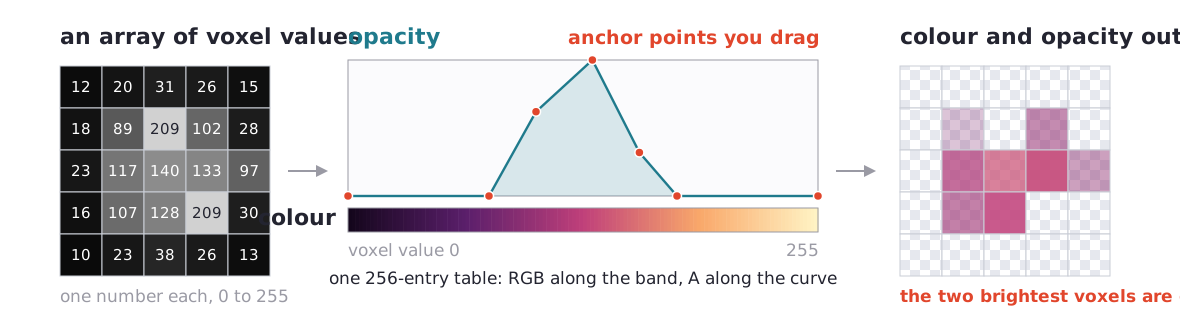
A transfer function turns a voxel’s value into a color and an opacity. The same lookup table is applied to every voxel in the volume. It includes:
- A color ramp spanning the range the data occupies
- An opacity curve, which decides what is visible and what is seen through
Transfer functions
Examples
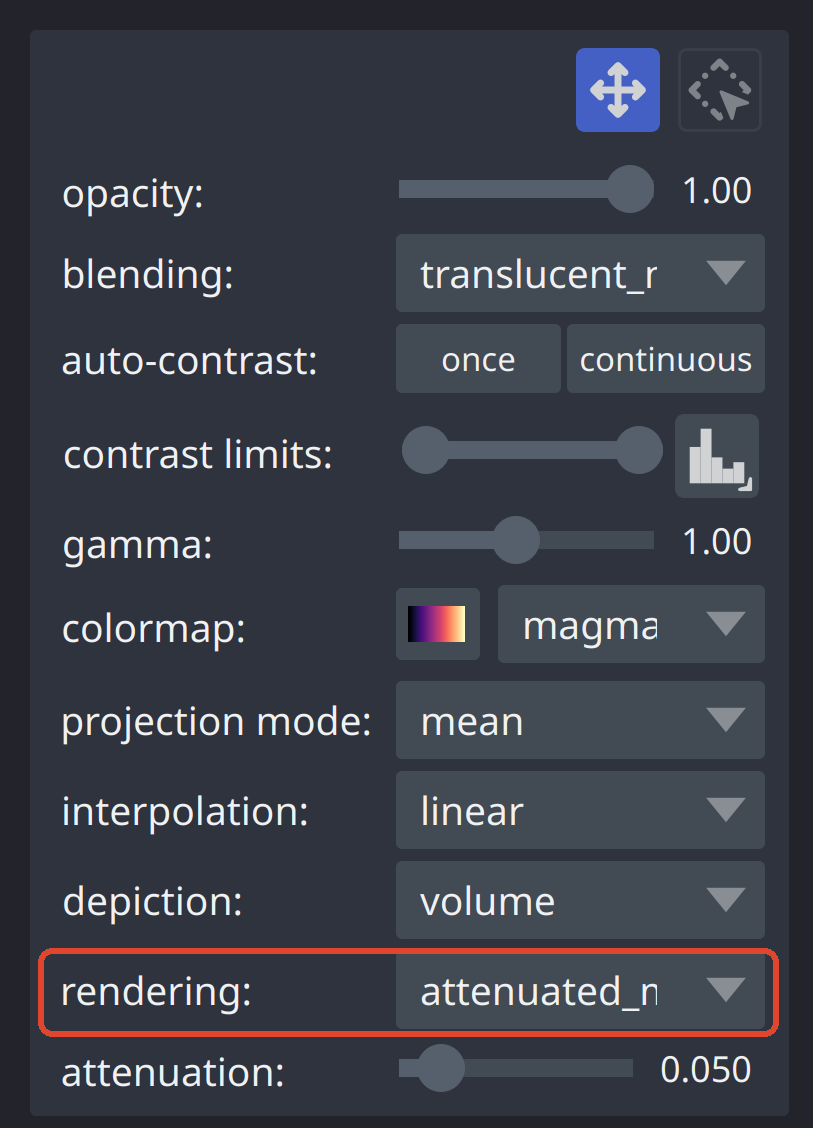
Try it out
napari
uvx --from "napari[all]" napari

Try it out
Jupyter notebooks
uv venv .venv_volumetric --python 3.12 --seed
uv pip install --python .venv_volumetric -r visualization_software/requirements_volumetric.txt
uv run --python .venv_volumetric jupyter lab
- voxel_rendering_napari.ipynb - the same viewer, driven from Python
- voxel_rendering_vtk.ipynb - transfer functions by hand
- voxel_rendering_pygfx.ipynb - the same volume on the GPU through wgpu
Challenges
Separating foreground from background
- A threshold works when there is a background
- Some datasets have none - FIB-SEM is resin, stain and membrane, edge to edge
- No transfer function fixes this - it requires a preprocessing step
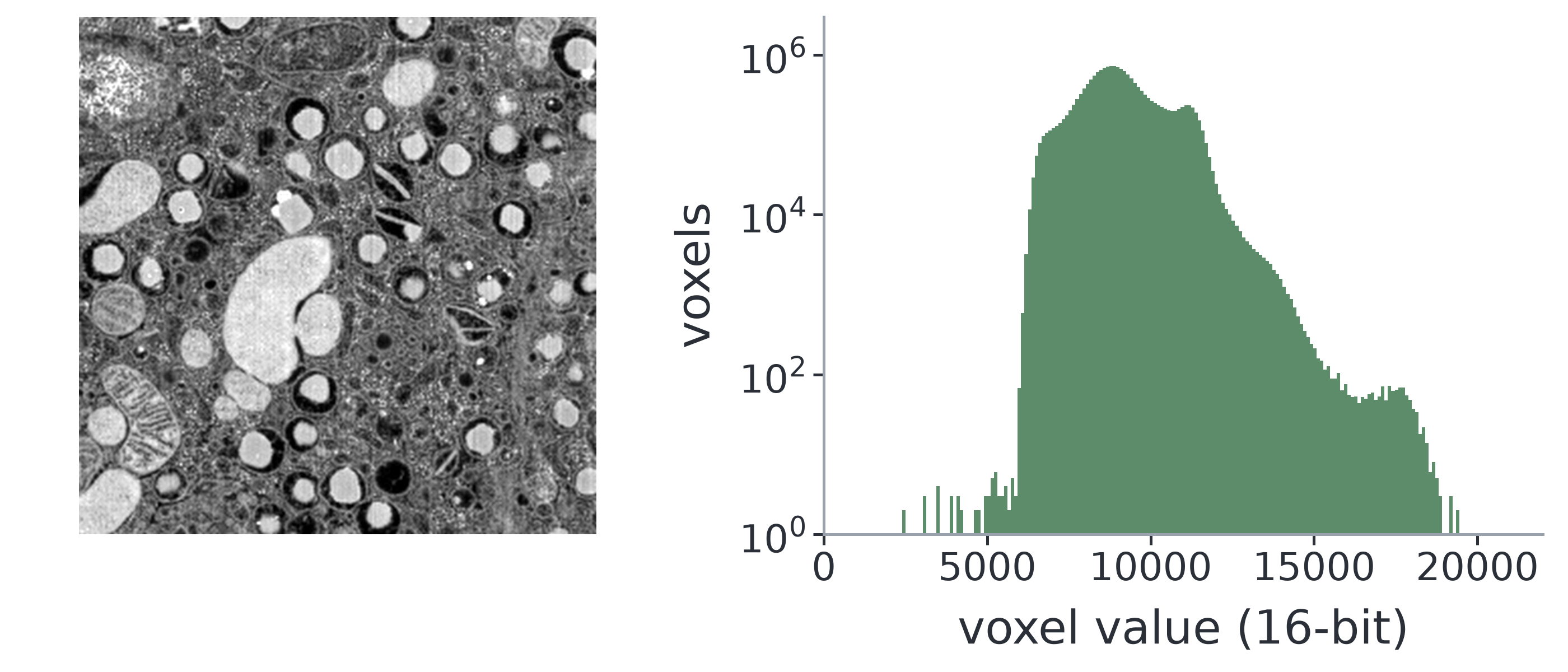
- FIB-SEM of a mouse pancreatic islet,
jrc_mus-pancreas-1: Xu, Pang, Bennett, Mueller, Solimena & Hess (2020), CC BY 4.0, via OpenOrganelle · see also Müller et al. (2021)
Challenges
Denoising and segmentation, before rendering
- nnInteractive for your own volumes: a point, a scribble or a box on one 2D slice gives a full 3D mask you can correct, in napari, MITK or 3D Slicer
- Tribolium at low laser power, CARE example data, Weigert et al. · denoised with UniFMIR (fine-tuned on this dataset, CC BY 4.0) · segmented with Cellpose 3