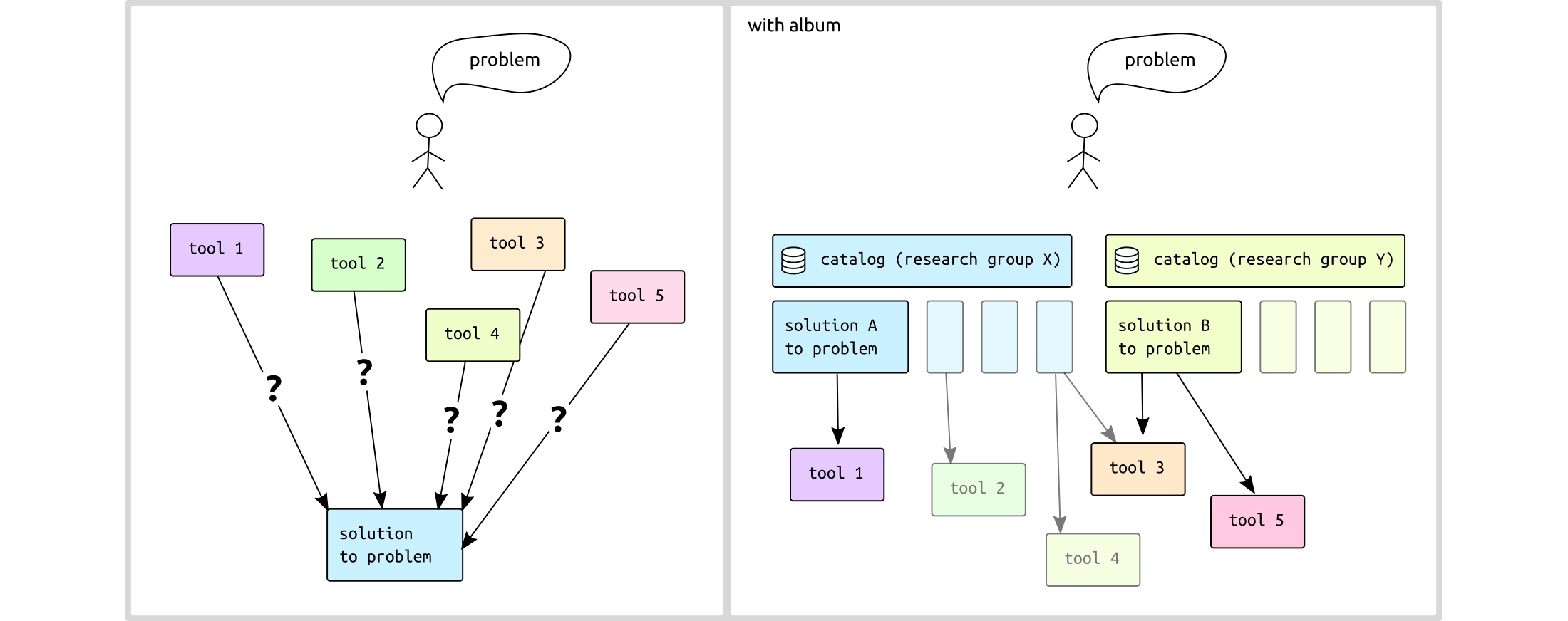
How to install and use Album - a tool for decentralized software use case sharing September 25, 2024 Why does Album exist? In science, commercial tools exist and can be very useful, but to push the boundaries of knowledge and stay ahead of new developments, scientists often rely on open-source tools and custom software . This results in scientists needing to figure out which tools solve their problems, how to install them, and how to use them, which leads to a diverse and sometimes confusing ecosystem. While there are IT solutions that help with unifying software use cases (like Docker or virtual environments), these tools are often challenging for non-computer experts due to their complexity and the risk of version conflicts. Album exists to solve this problem by making it easier to manage, share, and use scientific software solutions without requiring deep technical expertise.How does it work? Each Album solution is essentially a single script (written in Python) that wraps a specific software use
case . This script describes:The software dependencies required for the solution. The metadata of the use case (such as who to cite, arguments available, and links to further documentation). The launch parameters and run routine for the specific use case. Album handles the entire installation process by automatically installing a virtual environment for each solution
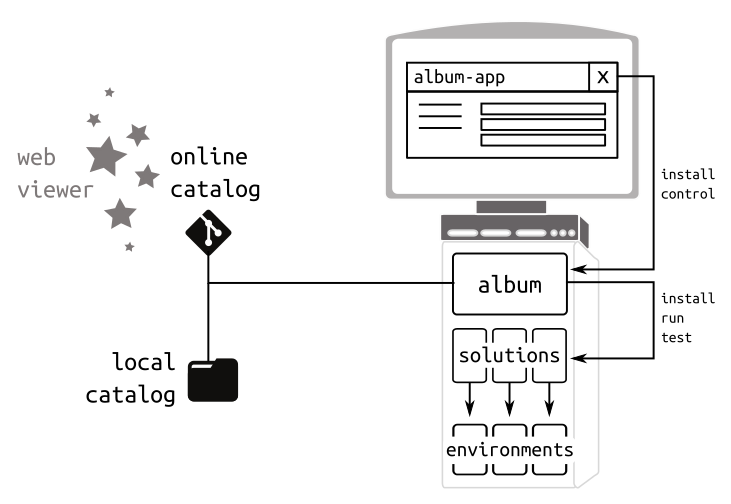
individually, and it offers a clean, uniform interface to run different tools, both from a graphical interface or
from command line.
Solutions can wrap different tools and libraries . They can be bundled in catalogs and shared with users who don’t have any coding experience .
Album exists as command line and graphical user interface . Each solution is executed in it’s own virtual environment. Catalogs are git repositories and can be hosted locally or i.e. on gitlab or github.
How to install You can download the one-file installers for Album directly from the official website . These installers are available for Linux , Windows , and macOS .
Alternatively, Album can be installed via pip or conda .
via single executable installer (includes graphical user interface) via pip (command line interface): pip install album via conda or micromamba (command line interface): conda install album -c conda-forge
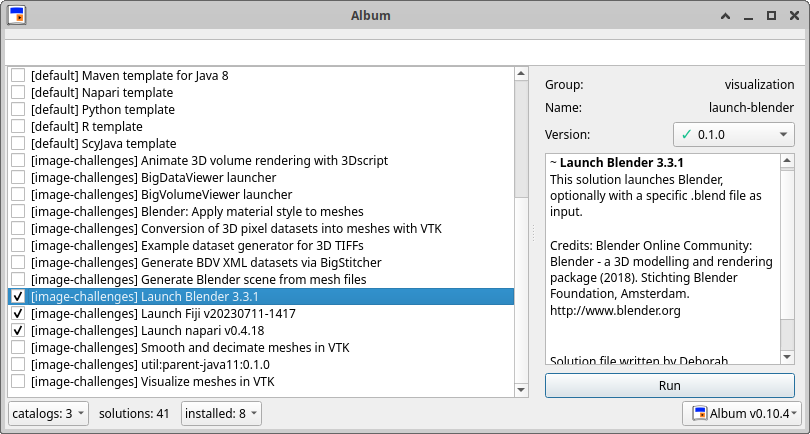
How to run Album solutions How are solutions shared? Via catalogs! Catalogs are collections of Album solutions bundled together to make them easy to share and distribute. Each catalog is essentially a git repository that can be identified by a URL or a local path . For example, the Image Challenges catalog written and curated by the Album development team at Helmholtz Imaging can be added easily, and it bundles solutions that are specific to image processing and visualization tasks.
Click Catalogs > Add Catalog > CATALOG_URL Scroll to solution / use search bar Select the solution and press Run
album add-catalog CATALOG_URL
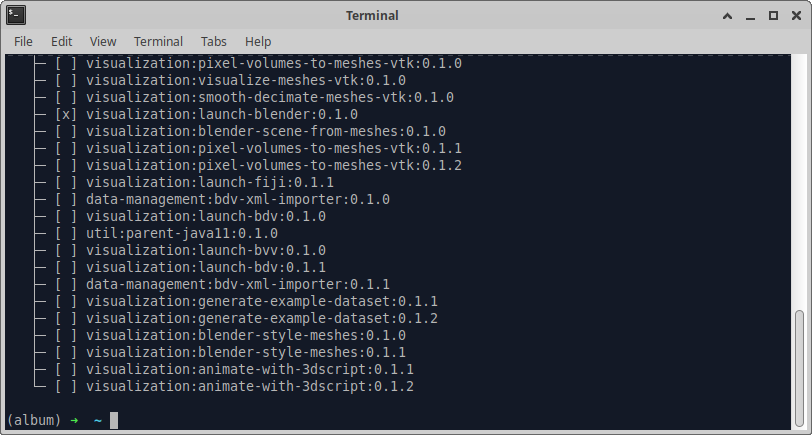
album index
album install GROUP:NAME:VERSION
album info GROUP:NAME:VERSION
album run GROUP:NAME:VERSION
Updating a catalog To be able to run solutions deployed to a catalog after you already installed the catalog already, you have to
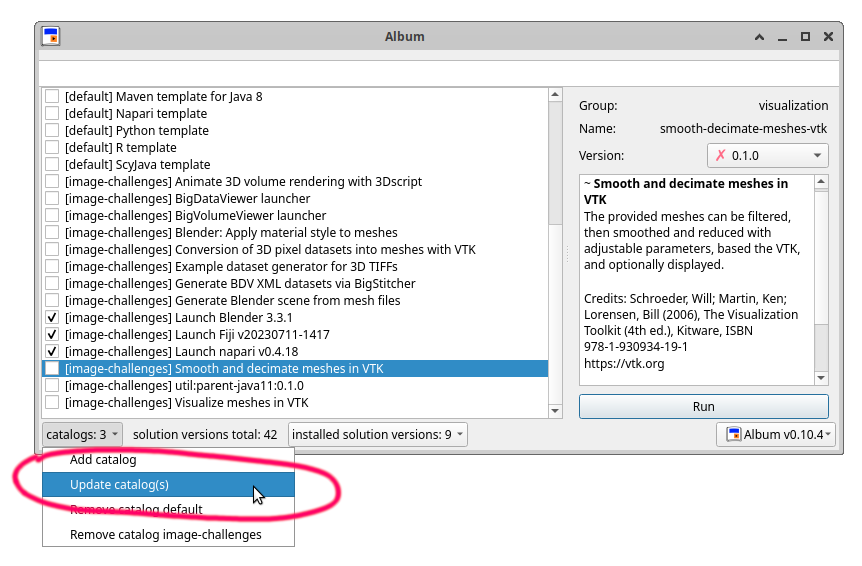
update your local index of the catalog in order to install and use new solutions. Update your local indices of catalogs to use newly added solutions:
Command line # update all catalogs
album upgrade
# update a specific catalog
album upgrade MY_CATALOG_NAME
Graphical User Interface
Album is a collaborative project developed by the Helmholtz Imaging team with contributions from the broader
scientific software community. We encourage users to share their solutions, contribute to the codebase, and help improve the platform.
Album developers: